Establish a clear network boundary
Review internet lines, wired devices and the connections your business needs.

Explore firewall configurations, rental plans and active–standby planning. Models, licences and delivery arrangements are confirmed in your proposal.
You do not need a model number to start. Share your team size, locations and critical connections so we can discuss equipment, licences and management.
Review internet lines, wired devices and the connections your business needs.
Outline branch connections, remote access and who should reach each system.
Identify services that need continuity, then confirm compatibility and failover testing.
The agreed configuration and quotation identify the equipment model, available functions and support scope.
GDMME Appliance is the brand's equipment range. Its current focus is business cybersecurity, with MSS professional managed services connecting equipment to day-to-day management.
01Confirm the purposeConfigure for network and operational needs
02Provide ongoing careAssign responsibility for configuration, updates and maintenance
03Arrange supportRecord fault handling and responsibilities
The design aims to use two redundant power supply modules, each capable of supporting the full design load independently. A/B power paths are planned according to site conditions.
Power supply dimensions, power headroom, redundant backplane, hot-swap support, cooling and fault alerts must all be validated with the actual motherboard and modules.
Two compatible appliances form an HA pair. One handles day-to-day connections while the other remains on standby. When fault criteria are met, the standby unit takes over supported services according to the configuration.
A/B illustrate the roles during normal operation. Active and standby roles may change after takeover.
Confirm service, then address the fault.Administrators must still check connections, repair faulty equipment and arrange a return to standby or failback under established rules.
This describes active/standby mode, not two appliances sharing traffic simultaneously. Available features must be confirmed for the equipment, network and proposal.
HA pairs two compatible appliances in active/standby roles. The active unit handles connections; the standby unit checks status and synchronises settings or connection information according to the configuration.
Active unit A handles connections. Standby unit B continuously checks status and synchronises data where supported.
Dual power supplies protect power delivery; HA reduces the risk of a single appliance failure.They work together. HA also cannot replace data backups.
Confirm the synchronisation scope, fault criteria, shared switch and connection risks, VPN/module compatibility and recovery procedures after failover. Actual downtime must be tested. The animation does not represent failover speed or guarantee zero downtime.
Further reading: Netgate HA architecture
For understanding general principles. This is not certification of GDMME models or features.
Models, hardware specifications and available features are confirmed for each service proposal.
From computers and accounts to important data, identify the work that needs ongoing attention, then arrange managed services that suit your business.
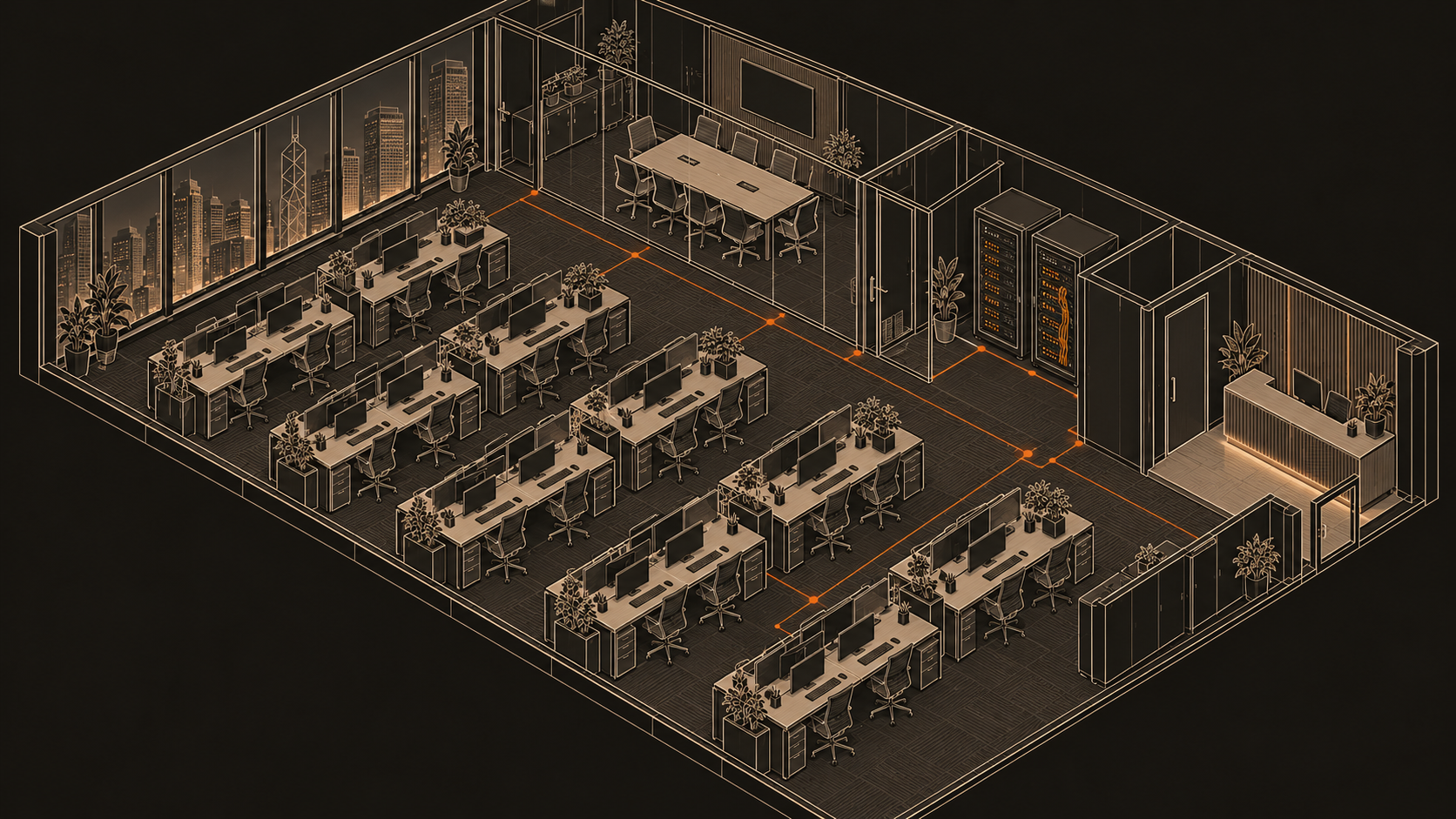
Original service scenario illustration
Separate office, guest and critical systems, with access set according to purpose.
Processing power, data and intelligence each have a clear role.
Bring every layer of protection into an architecture you can understand and manage.
Use business-grade equipment for layered protection, planning the configuration around connection scale, enabled features and maintenance needs.
From log retention and access permissions to retention periods, build data-handling responsibilities into the deployment plan.
Combine external threat intelligence with your business environment so that blocks, exceptions and alerts have a traceable basis.
The visuals illustrate architectural concepts. Available features and deliverables are subject to the confirmed service proposal.
Explore the design intent behind the intake grille, light strip and the space within the chassis
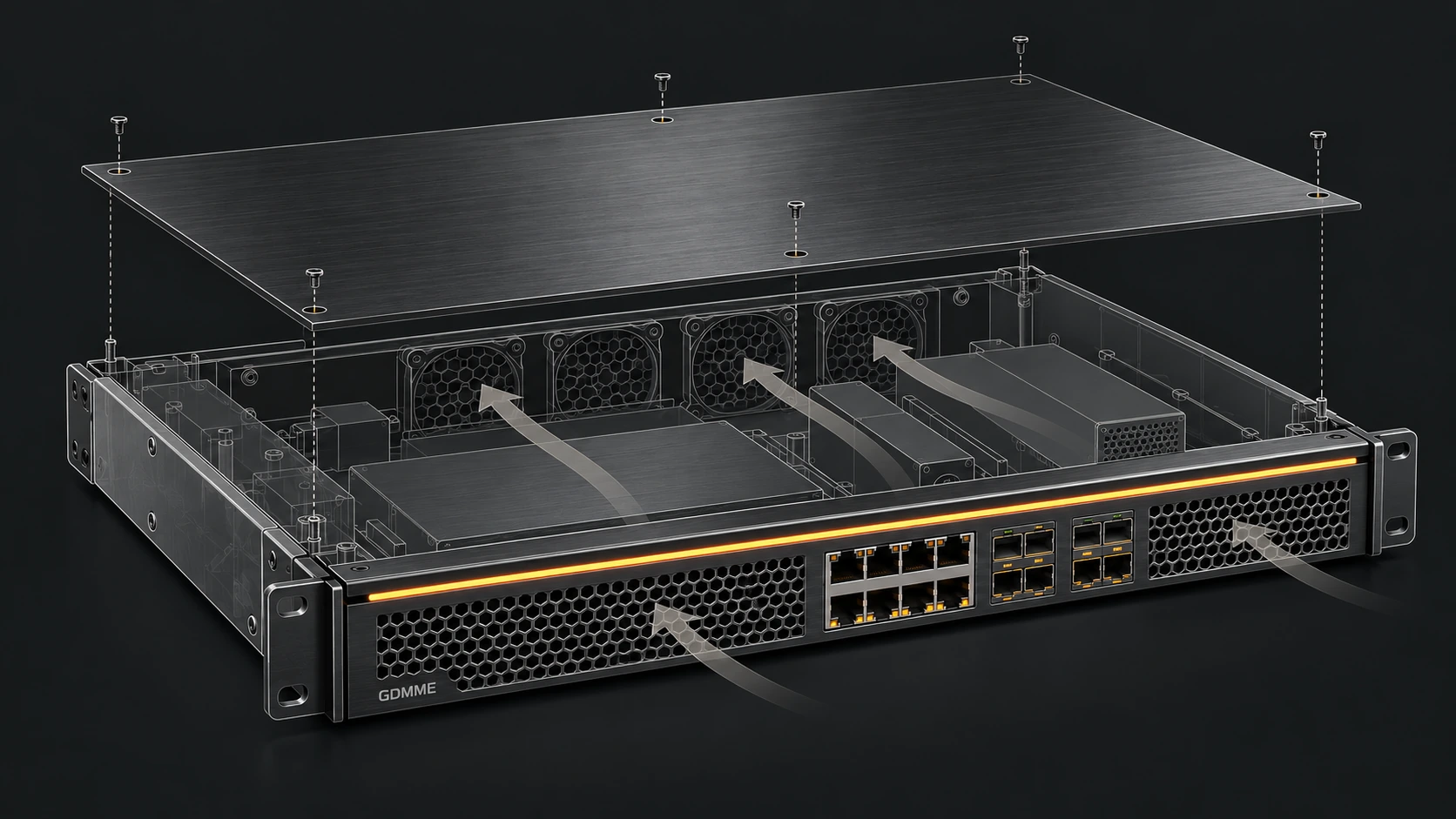
Structure and airflow concept · Actual configuration requires engineering confirmation
View the complete drawingSeparate the front intake area from the cable connections to make the layout easier to read and inspect. The opening ratio, dust protection and intake performance require component selection and thermal testing.
A restrained light strip gives the panel a GDMME identity and offers a possible status-display interface. Brightness, colours and signal meanings depend on the model; the illustrated light does not show a running device.
Group interfaces with clear space for labelling, cabling and maintenance. Port counts, speeds and module combinations are confirmed against the selected model and the business network requirements.
The exploded view shows how the cover relates to the chassis, helping discuss inspection and service access. Fastenings, opening procedures and authorised access must follow the actual device’s maintenance requirements.
The front rack ears illustrate positioning and attachment. Hole spacing, rack compatibility and any need for rails or a shelf must be confirmed for the equipment weight and installation environment.
Internal zones and a proposed front-to-rear airflow path help discuss components, cabling and cooling together. Internal parts are illustrative envelopes, not an actual PCB; airflow direction and cooling performance require engineering review and thermal testing.
This image explains design intent and is not a to-scale CAD manufacturing drawing
Discuss an equipment configurationFrom deployment to daily management, give administrators a clear entry point and agree configuration and access by authorisation.
Interface previewDisplay only · No account details required
 FIREWALL
See your network clearly, shape its policies and control access by authorisation.
 NETWORK · POLICY · ACCESS
Use your assigned account to continue.
Account assistance: Contact your administrator.This illustrates the sign-in design without connecting to a device or collecting sign-in details. The actual interface and features depend on the device version and deployment.
Discuss equipment and management →GDMME plans to integrate CrowdSec in stages and review and improve configurations over time, connecting attack behaviour in service logs with collaborative threat intelligence and enforcement in equipment and managed security proposals. Available functions and scope depend on each deployment’s configuration and validation results.
Analyse configured service logs against detection scenarios to identify attack behaviour and generate alerts and decisions.
Use CrowdSec threat intelligence according to deployment settings. Community signal sharing and the data involved will be agreed in the proposal.
Enforce decisions through compatible remediation components, with alert review, rule updates, allowlists and unblocking included where agreed in the managed scope.
Agree log sources and retention, compatible components, blocking and unblocking, false-positive handling, coverage hours and responsibilities. The proposal also explains threat intelligence and community signal sharing settings.
Agree log sources, compatible components, decision duration and follow-up responsibilities before deploying and validating detection through to enforcement.
WAF / AppSec can be assessed separately and requires compatible components and rules. Included functions will be specified in the proposal.
Huorong Enterprise is provided by distributor AL-TOUCH SOLUTIONS LIMITED 一大方案有限公司. Discuss licensing, control centre deployment, endpoint policies and ongoing management alongside GDMME network protection.

Review protection across office computers and important servers, distribute policies and follow up improvements centrally.
Group endpoints by department or role, review status, assets and security logs, and distribute protection policies. Confirm that endpoints are connected and policies have synchronised.
Use endpoint IP protocol controls to restrict inbound and outbound connections, alongside application network rules, so departments reach only required services. This policy-based endpoint segmentation needs business connectivity testing.
Enable dynamic authentication for the control centre. Supported endpoints can also require a dynamic code for local password sign-in and Remote Desktop sign-in. Scope this for compatible key servers; configure firewall and switch administration MFA separately where supported.
Review connected endpoints’ vulnerabilities, installed software and remediation status centrally, scheduling tested updates within maintenance windows. Coverage follows the supported catalogue and does not constitute a complete vulnerability scan of every application.
Apply policies to USB storage, USB wireless / wired adapters and other peripherals, with blocking and trusted-device exceptions. Supported storage can be read-only, reducing unauthorised connections and file introduction risks.
Restrict specified remote tools through execution controls and network rules. Software prohibition can separately log, prompt or isolate non-compliant endpoints according to policy. Validate application matching and retain an approved maintenance channel.
Segmentation example: finance PCs can use an approved application; general staff PCs cannot directly access finance PCs or core equipment administration ports.
Cross-department access restricted
Retain required business access
Huorong control centre → group policies → endpoint enforcement and logs
Illustrative rules, not live monitoring. Enable and synchronise policies on managed endpoints. Agentless devices, uncovered paths and core equipment also need network segmentation, access controls and other protection.
Dynamic authentication has version and account restrictions: local sign-in methods may change, and some high-risk operation checks exempt super administrators. Agree recovery and emergency access before deployment.
Functions vary by operating system, edition, licence and endpoint type. GDMME reviews compatibility and tests policies before agreeing deployment, service hours and deliverables.
GDMME aims to connect equipment, collaborative threat intelligence and local management in a clear service arrangement. Compare actual protection scope, licensing and follow-up ownership.
This explains GDMME’s proposed approach and questions to check in major-brand quotations. Vendors offer different deployment and managed options; compare the specific products, editions and service agreements.
| Dimension | GDMME + CrowdSec (planned approach) | Major-brand proposal (items to confirm) |
|---|---|---|
| Starting point | Scope around Hong Kong businesses’ equipment, working environment and management needs, documenting configuration and follow-up ownership. | Does the selected edition fit staff, sites and existing equipment? Who provides deployment and ongoing management? |
| Threat intelligence and detection | Plan behaviour detection from configured logs with CrowdSec, alongside community blocklists and selected intelligence subscriptions. | Which intelligence, detection engines and updates are included? Which require subscriptions? Can third-party intelligence be imported? |
| Deployment and enforcement | Select compatible remediation components and validate alerts, enforcement, allowlists and unblocking. | Which appliance, virtual, cloud or agent deployments are supported? How are throughput and feature limits defined? |
| Endpoint and network responsibilities | Plan layers across GDMME network equipment, CrowdSec integration and Huorong Enterprise; confirm endpoint licensing and functions separately. | What is included for firewall, EPP, EDR and WAF? Are integrations and licences included? |
| Management and support ownership | Document alert review, updates, handover records, service hours and escalation contacts in the GDMME engagement. | Is support owned by the vendor, distributor or managed team? Are coverage hours, response commitments and incident support agreed in writing? |
| Licensing and total cost | Itemise equipment, deployment, endpoint licences, selected CrowdSec intelligence / Console plans and management. An open-source engine does not make all data or commercial use free. | Compare licences, renewals, replacement, deployment and management for equivalent scope, including the impact of expiry or disabled features. |
Existing major-brand equipment can be assessed for compatible integration and management. GDMME proposes a scope around your current environment.
WebRAY (盛邦安全) security products are provided by distributor AL-TOUCH SOLUTIONS LIMITED 一大方案有限公司. Businesses can discuss vulnerability assessment and application security requirements, with equipment, licensing and deliverables specified in each proposal.

WebRAY (盛邦安全) provides vulnerability management, Web application protection, API security and network security products. GDMME discusses product selection, deployment and management around business requirements, identifying selected products and licences in the proposal.
Review asset scope, compatibility and assessment objectives, and identify selected products, editions, modules and licences.
Plan deployment around agreed access and timing, recording configuration, test results and coordinated changes.
Agree findings review, updates, remediation follow-up and retesting within the engagement, keeping outstanding actions visible.
Tell us your company size and main needs, and we can define a suitable scope together.